1
of
2
Loading...
3M Aqua-Pure AP810 Filter Whole House Sediment 5 mic.
Part Number:
56189-02
Alt. Part Number:
56189-24, 5618924, CFS810
MSRP: $92.80
Regular price
$41.78
Unit price
Unit price
/
Unavailable
Shipping Information
Shipping Information
Shipping costs are based on your order’s weight, location, and selected shipping option. We strive to ship orders quickly, with expedited orders (Next Day Air or 2 Day) going out the same business day if placed before 4:30PM EST.
Description
Description
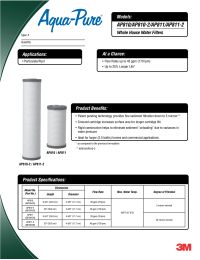
The 3M Aqua-Pure AP810 filter is a heavy duty, large diameter, graded density sediment filter cartridge. The AP810 water filter provides both rigid construction that prevents collapse under high water pressure conditions and a porous cylinder that traps contaminants efficiently without affecting water flow.
The Aqua-Pure 810 filter is for use with the Aqua-Pure AP801, AP801T, AP801T-1.5, and AP801-1.5 whole house water filter systems and any other whole house filter system that calls for a standard size large diameter filter. Replaces WHCF-GD25BB.
Features:
Unlike carbon based filters, there is no set time to replace a sediment AP810 filter. There are 2 methods for helping to determine if it is time to change the filter.
1. The most accurate method is to install a water pressure gauge on both the inlet and outlet sides of the housing that holds the AP810 filter. Compare the water pressure reading from both gauges. If the difference is 10 psi or greater it is time to replace the filter.
2. If you have noticed a drop in your water pressure or flow rate from faucets and showers, it is time to replace the filter.
How to Change and Replace an AP810 Cartridge:
1. Turn off the incoming water supply by isolating the unit with existing valves.
2. Bleed the pressure from the housing by pressing the pressure relief valve. Often, this is a red button on top of the housing.
3. Remove the filter housing by sliding the wrench up towards the top of the housing. Once in place, turn the wrench to the left to unscrew the sump from the head.
4. Remove the old filter cartridge from the housing and discard.
5. Clean the empty housing with warm soap and water by wiping it clean.
6. Insert the new AquaPure AP810 cartridge into the housing.
7. Add a small amount of lubricate to the housing's O-Ring, and then hand tighten the housing back into the head.
8. Check to make sure the housing is secure, and turn back on the water.
The Aqua-Pure 810 filter is for use with the Aqua-Pure AP801, AP801T, AP801T-1.5, and AP801-1.5 whole house water filter systems and any other whole house filter system that calls for a standard size large diameter filter. Replaces WHCF-GD25BB.
Features:
- Whole house water filter for rust and sediment, part number 55779-05
- Progressive porosity filter cartridges are rated for long life under extra-heavy dirt loading
- AP 810 filter is a 5 micron filter
- Maintains water pressure at a 20 GPM flow rate
- Maximum water pressure rating up to 125 PS
- 55779-05
- 55779-16
- Grainger Part Number: 4LW37
- G2544141
- 3M Part Number: 5618902
- 3M ID: 70020164177
- Case Qty: 4 per case (5577915) or 8 per case (5577916)
Unlike carbon based filters, there is no set time to replace a sediment AP810 filter. There are 2 methods for helping to determine if it is time to change the filter.
1. The most accurate method is to install a water pressure gauge on both the inlet and outlet sides of the housing that holds the AP810 filter. Compare the water pressure reading from both gauges. If the difference is 10 psi or greater it is time to replace the filter.
2. If you have noticed a drop in your water pressure or flow rate from faucets and showers, it is time to replace the filter.
How to Change and Replace an AP810 Cartridge:
1. Turn off the incoming water supply by isolating the unit with existing valves.
2. Bleed the pressure from the housing by pressing the pressure relief valve. Often, this is a red button on top of the housing.
3. Remove the filter housing by sliding the wrench up towards the top of the housing. Once in place, turn the wrench to the left to unscrew the sump from the head.
4. Remove the old filter cartridge from the housing and discard.
5. Clean the empty housing with warm soap and water by wiping it clean.
6. Insert the new AquaPure AP810 cartridge into the housing.
7. Add a small amount of lubricate to the housing's O-Ring, and then hand tighten the housing back into the head.
8. Check to make sure the housing is secure, and turn back on the water.
Specifications
Specifications
Downloads
Downloads
Reviews (21)
Reviews (21)

Safe & Secure Checkout
Enjoy a Safe & Secure Checkout with advanced encryption and trusted payment gateways, ensuring your information stays protected every step of the way.
Compare Similar Products
| Facet |

Regular price
From
$41.78
Unit price
Unit price
/
Unavailable
Part #: 56189-02
Save up to 13% with bulk pricing
|
![Neo-Pure Whole House Sediment Filter, 4-1/2" x 9-7/8", Model MBGC-45098-05 [5 Micron]](http://www.freshwatersystems.com/cdn/shop/files/ymhamrl3cjrkelys6dj0.jpg?v=1764928194&width=460)
Regular price
From
$15.65
Unit price
Unit price
/
Unavailable
Part #: MBGC-45098-05
Save up to 5% with bulk pricing
|
|---|---|---|
| Price | ||
| Price |
Regular price
From
$41.78
Unit price
Unit price
/
Unavailable
|
Regular price
From
$15.65
Unit price
Unit price
/
Unavailable
|
| Part # | ||
| Part # | 56189-02 | MBGC-45098-05 |
| Description | ||
| Description | The 3M Aqua-Pure AP810 filter is a heavy duty, large diameter, graded density sediment filter cartridge. The AP810 water filter provides both rigid construction that... | The Neo-Pure 4-1/2" x 9-7/8" Whole House Sediment Filter is a replacement sediment cartridge for large diameter, heavy duty whole-house filters such as the 3M/Aqua-Pure AP801 and... |